
Deleting your SimpliFly account
A step-by-step guide.
Step 1
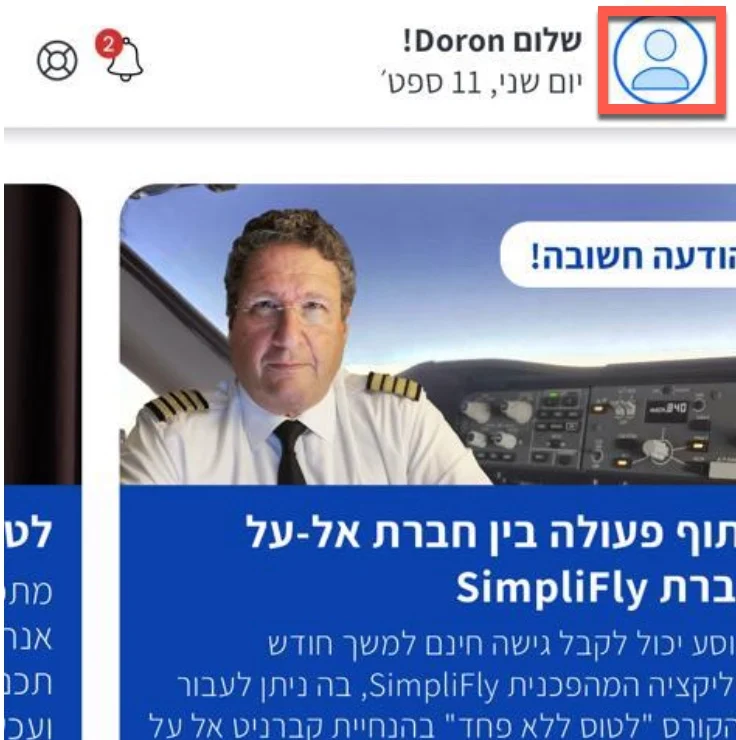
Click the profile icon on the top left corner.
Step 2
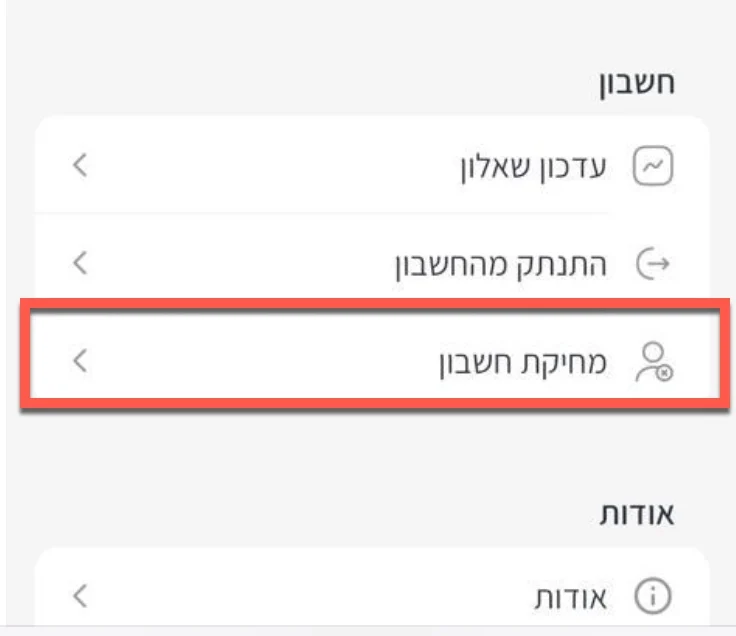
Scroll down the menu and then click the "Delete account" option.
Step 3
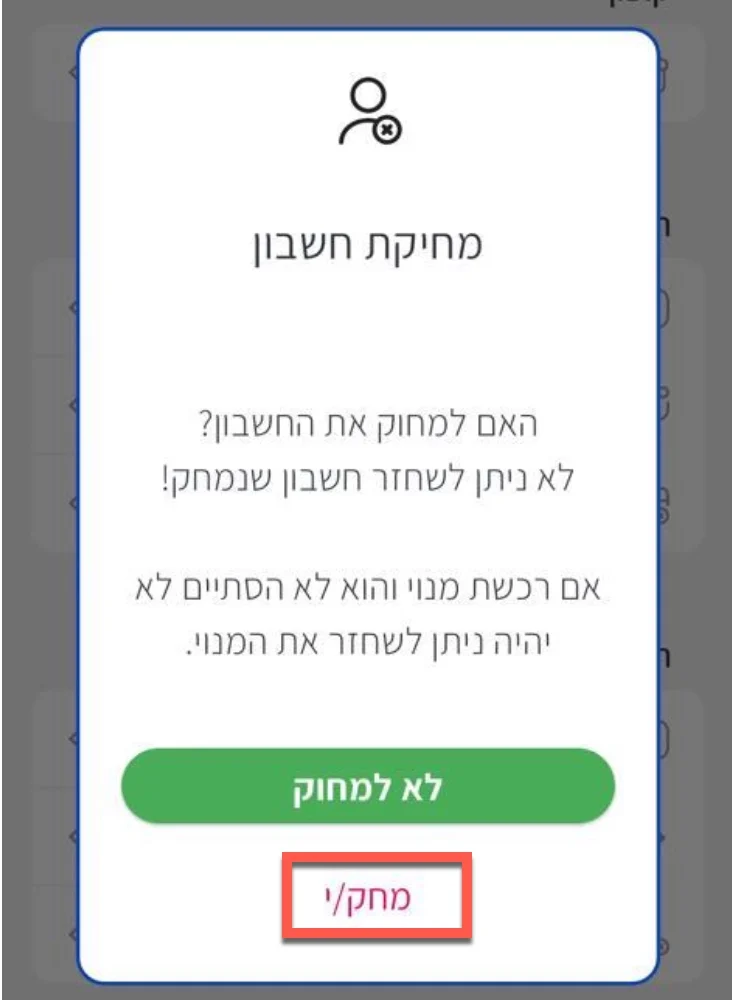
When prompted, read the warning message and then click the "Delete" button.
Done!
Done! Your account is now deleted from the app.
Have trouble deleting your account?
Contact us with your email or phone number, and we'll assist you promptly.